
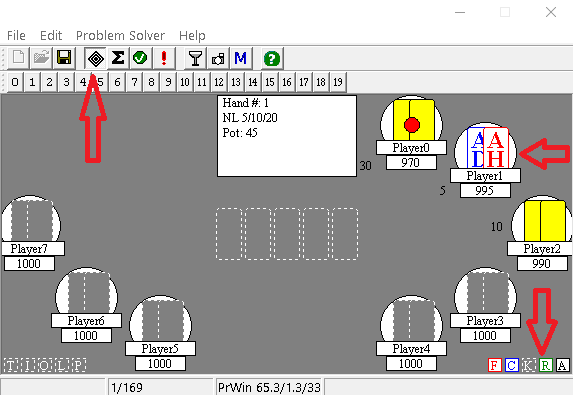
- make sure that the bot is connected to the table, the auto-player is turned on, the bot recognizes cards and betting buttons during your turn:
- check that the auto-time bank is enabled in the poker client settings;
- disable the delay in the bot profile:
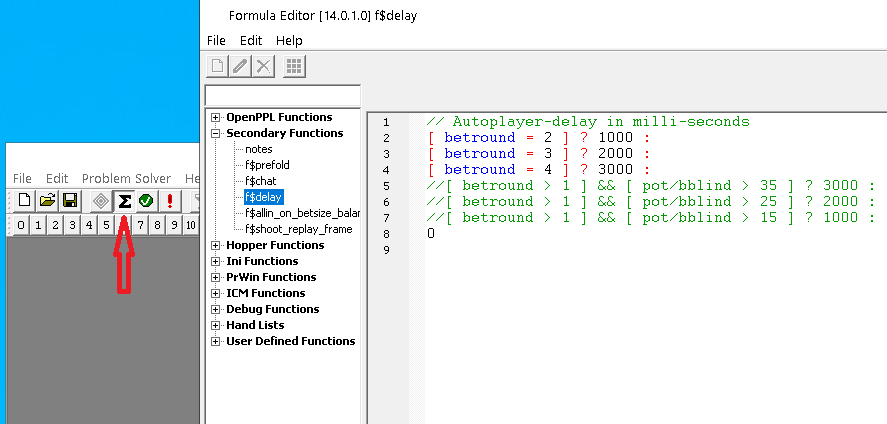
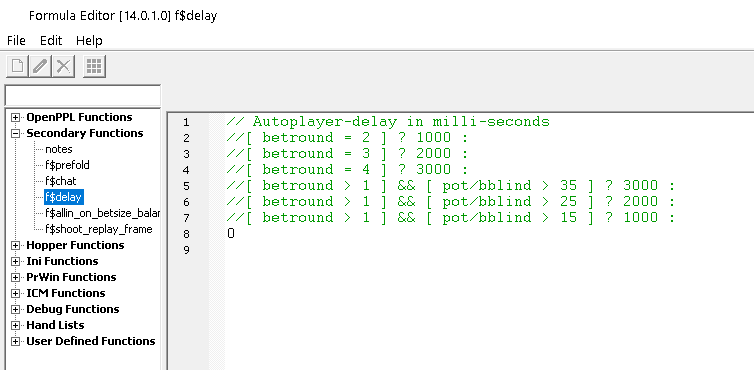
- reduce the delay time in the autoplayer settings:

- reduce the number of tables played;
- close unnecessary programs;
- add the bot folder to the antivirus exclusions or disable the antivirus;
- run the bot as an administrator;
- clear the log files in the */logs folder from time to time.
HoldemBot uses a mouse driver that mimics the movement of a human hand. However, this
increases the time between bet button presses.
You can replace the mouse driver with a more simplified one, which will speed up the bot.
You need to replace the old mouse.dll file with the new one. If you have renamed the files
and cannot find the old mouse.dll file, then look for a file with a size of 12 800 bytes. You
will need to rename the new mouse.dll with the name of the old mouse.dll.
https://mybot.poker/wp-content/uploads/mouse-driver/simple/mouse.dll - simple mouse driver (10 752 bytes);
https://mybot.poker/wp-content/uploads/mouse-driver/advanced/mouse.dll - advanced mouse driver (12 800 bytes).