
When the bot is connected to the poker table, you can see it in the bot window:
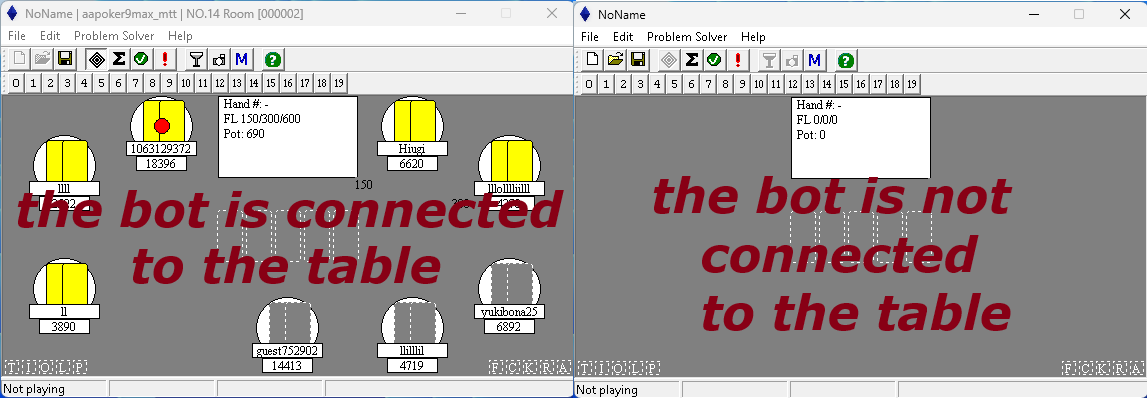
For the bot to successfully connect to a poker table, your poker table must be the correct size. The default table size is usually used (see the poker room settings manual).
If the bot can’t even connect to the table, try this:
1) make sure that your poker table is visible;
2) go to bot folder and run */tools/OpenReplayShooter.exe;
3) pick your window (your poker table) to capture, click Start and wait a few seconds – it will
collect a couple of replay frames in selected folder (C:\TMP by default);
4) send files from the C:\TMP folder (or another, if you changed it) to the telegram: @holdembot_support